Brand system
Brand Color Picker
A brand color is one decision. A brand color system is a set of decisions about action, surface, text and state. Start with the color you love, then make the rest of the system earn its place.
Use a brand color picker to choose an anchor color, then assign it to roles and test it against real text and surface pairs. A single HEX value is not a brand system; the roles and contrast checks are what make it usable.
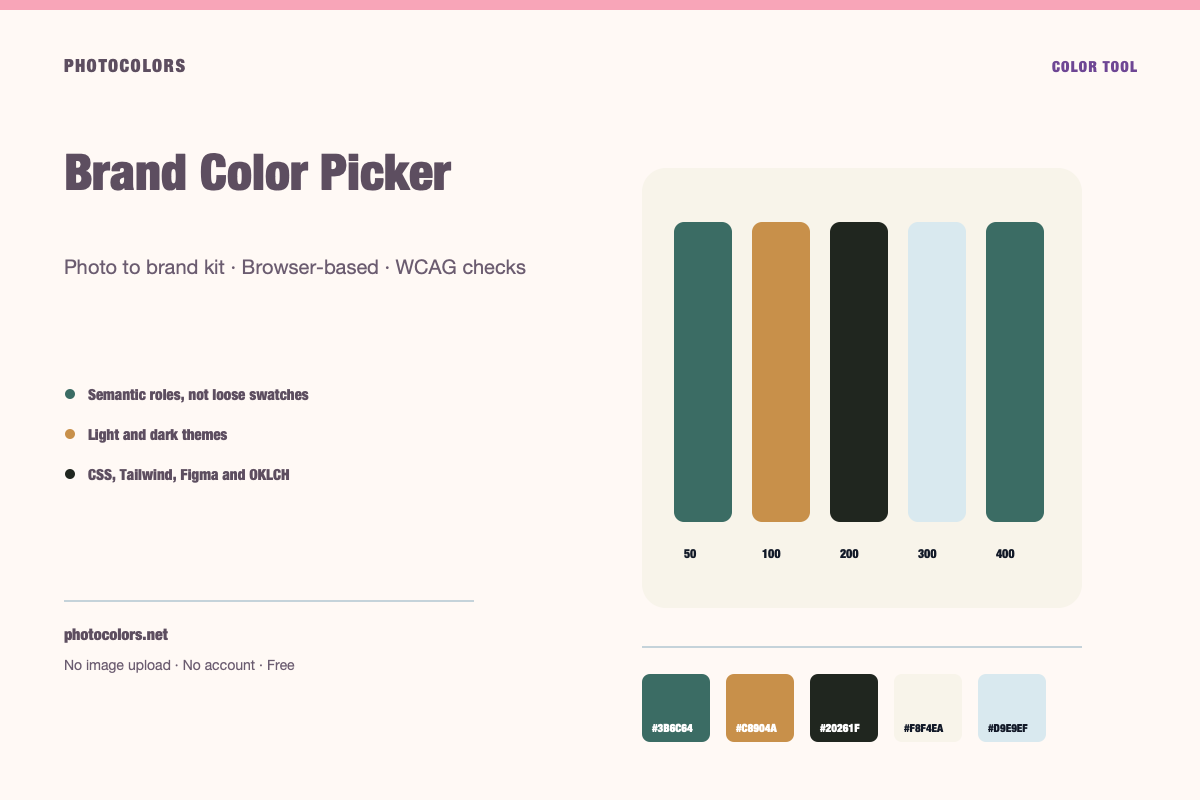
Live theme
Preview a complete light and dark theme
Choose a sample palette, switch themes, and copy the CSS variables a real component library consumes.
A theme that holds up in both modes.
Surfaces, borders and text pairs are generated from the same palette. Switch the theme and compare the hierarchy.
Semantic roles
Contrast checks
Copy the theme
:root {
  --color-primary: #3B6C64;
  --color-primary-foreground: #FFFFFF;
  --color-secondary: #C8904A;
  --color-accent: #915A46;
  --color-neutral: #20261F;
  --color-background: #F8F4EA;
  --color-surface: #FCFAF6;
  --color-text: #111827;
  --color-muted-text: #111827;
  --color-border: #BCBAB1;
  --color-success: #16A34A;
  --color-warning: #C8904A;
  --color-danger: #DC2626;
}

[data-theme="dark"] {
  --color-background: #20261F;
  --color-surface: #151A1C;
  --color-text: #FFFFFF;
  --color-muted-text: #FFFFFF;
  --color-border: #20261F;
  --color-primary: #95C5BE;
  --color-primary-foreground: #111827;
}:root {
--background: #F8F4EA;
--foreground: #111827;
--card: #FCFAF6;
--card-foreground: #111827;
--primary: #3B6C64;
--primary-foreground: #FFFFFF;
--secondary: #C8904A;
--secondary-foreground: #111827;
--accent: #915A46;
--accent-foreground: #FFFFFF;
--muted: #FAF7F0;
--muted-foreground: #111827;
--border: #BCBAB1;
--destructive: #DC2626;
--destructive-foreground: #FFFFFF;
--ring: #3B6C64;
}
.dark {
--background: #20261F;
--foreground: #FFFFFF;
--card: #151A1C;
--card-foreground: #FFFFFF;
--primary: #95C5BE;
--primary-foreground: #111827;
--secondary: #C8904A;
--secondary-foreground: #111827;
--accent: #CAA091;
--accent-foreground: #111827;
--muted: #1B201E;
--muted-foreground: #FFFFFF;
--border: #20261F;
--destructive: #DC2626;
--destructive-foreground: #FFFFFF;
--ring: #95C5BE;
}{
"color": {
"primary": {
"value": "#3B6C64",
"type": "color"
},
"secondary": {
"value": "#C8904A",
"type": "color"
},
"accent": {
"value": "#915A46",
"type": "color"
},
"neutral": {
"value": "#20261F",
"type": "color"
},
"background": {
"value": "#F8F4EA",
"type": "color"
},
"surface": {
"value": "#FCFAF6",
"type": "color"
},
"text": {
"value": "#111827",
"type": "color"
},
"mutedText": {
"value": "#111827",
"type": "color"
},
"success": {
"value": "#16A34A",
"type": "color"
},
"warning": {
"value": "#C8904A",
"type": "color"
},
"danger": {
"value": "#DC2626",
"type": "color"
}
},
"dark": {
"background": {
"value": "#20261F",
"type": "color"
},
"surface": {
"value": "#151A1C",
"type": "color"
},
"text": {
"value": "#FFFFFF",
"type": "color"
},
"mutedText": {
"value": "#FFFFFF",
"type": "color"
}
}
}{
"primary": "oklch(49.41% 0.0551 182.3)",
"secondary": "oklch(69.42% 0.1102 70.3)",
"accent": "oklch(52.41% 0.0792 40.7)",
"neutral": "oklch(26.01% 0.0155 141.1)",
"background": "oklch(96.75% 0.0139 88.7)",
"foreground": "oklch(21.01% 0.0318 264.7)",
"surface": "oklch(98.55% 0.0057 84.6)",
"success": "oklch(62.71% 0.1699 149.2)",
"warning": "oklch(69.42% 0.1102 70.3)",
"danger": "oklch(57.71% 0.2152 27.3)"
}
A brand color is not a palette
Most brand conversations start with a single color. The color is memorable, it appears in the logo, and everyone has an opinion about it. But a product interface needs more than one color. It needs a background that recedes, a surface that groups content, a text color that stays readable, and state colors that communicate without relying on hue alone.
The single brand color usually becomes the primary action color, but not always. A bright yellow may be perfect for a logo and terrible for a button with white text. In that case, the yellow stays as an accent or a brand surface, and a darker companion becomes the action color.
The job of a brand color picker is not to choose one perfect HEX value. It is to choose an anchor and then build a system that can carry it.
Pick from evidence, not taste alone
A brand color should come from somewhere: a product photo, a logo, a material, a place, a piece of packaging, or a deliberate strategic choice. When the color has a source, it is easier to defend and easier to extend.
PhotoColors is useful here because it extracts colors from an actual image. You can upload the product photo, the logo, or the moodboard that started the conversation and see which colors are really present. That turns a subjective debate into a shared reference.
Taste still matters. The extractor gives you evidence; you decide which color deserves to lead. But the decision is now anchored in something the whole team can see.
The five decisions a brand palette must answer
First, what is the primary action color? It should be distinguishable from the background and readable with its foreground text. Second, what is the page background? It should recede and give the content room.
Third, what is the surface color? Cards, panels and modals need to separate from the page without creating a harsh outline. Fourth, what is the text color? Body text needs at least 4.5:1 contrast against the background for WCAG AA.
Fifth, what are the status colors? Success, warning and danger need to be distinguishable from each other and from the primary action. If the brand color is green, a green success state may disappear. In that case, use an icon or a label as well as color.
- Primary action: the color people click.
- Background: the calmest surface on the page.
- Surface: cards, panels and grouped content.
- Text: readable at body size, not just at display size.
- Status: success, warning and danger, reinforced with text or icons.
Test the palette in context
A palette that looks good in a swatch strip can fall apart in a real screen. Test it with a heading, a paragraph, a button, a card, a border and a muted label. Test it in light and dark mode. Test it at mobile width.
The most common failure is a primary color that only works on white. On a dark surface, the same color may vibrate or lose contrast. A good brand system includes a dark-mode variant of the primary color, not just an inverted background.
PhotoColors previews both themes and reports the measured contrast ratios. Use the preview as a first pass, then test the final palette in your actual product.
When to break the rules
Accessibility thresholds are a floor, not a ceiling. A palette can pass every check and still feel cold, generic or wrong for the brand. The rules tell you when a design is likely to fail real users; they do not tell you what the brand should feel like.
There are legitimate cases for low-contrast decorative text, large display type, disabled states and brand photography. The key is intent. If a low-contrast element is decorative, mark it as decorative. If it is content, make it readable.
A brand system is strongest when the accessible choice and the expressive choice point in the same direction. That is the sweet spot the palette should aim for.
FAQ
Brand Color Picker FAQ
How do I choose a brand color?
Start with evidence such as a logo, product photo or material, then choose an anchor color and test it in real interface roles. The anchor should be memorable, but the system around it is what makes it usable.
Should my brand color be the button color?
Often, but not always. If the brand color cannot support readable button text, use it as an accent or surface and choose a darker or lighter companion for actions.
How many colors does a brand palette need?
A practical starting point is one primary, one or two supporting colors, a neutral family and three status colors. More colors are fine if each one has a job.
Can I use the same palette in dark mode?
You can reuse the brand colors, but the surfaces and some accents usually need adjustment. Dark mode is a separate contrast contract, not a simple inversion.
Does PhotoColors save my brand palette?
Only if you request a saved-kit email. The palette colors and email address are stored for 14 days. The source image is never stored.
Keep going
Related tools and guides
Image to Color Palette Generator
PhotoColors extracts dominant colors from an image in your browser, then maps them into primary, secondary, accent and neutral roles. The image is never uploaded, and every palette includes WCAG contrast checks and developer exports.
Dark Mode Color Palette Generator
A dark mode palette needs a dark background, a slightly lighter surface, readable body text, a muted text color and an adjusted primary accent. Check each pair against WCAG, because a color that passes on white may fail on a dark surface.
WCAG Contrast Checker
WCAG AA requires 4.5:1 for normal text and 3:1 for large text. AAA requires 7:1 and 4.5:1. Enter both colors to see whether a pair passes, and switch the foreground to black or white if it does not.
How to Build an Accessible Brand Palette
Accessibility is not a coat of paint applied at the end. It is a set of constraints that make the palette stronger from the first decision.
Extracting Brand Colors From a Logo Without Chasing Edge Pixels
A logo looks like the simplest possible color source. In practice, anti-aliasing, compression and backgrounds can turn a two-color mark into a ten-color mess. Here is how to get the real palette.